
Mobile gambling is convenient, but that convenience can make it harder to notice how quickly time or spending is increasing. The online casino spinsy information available to Canadian readers describes a browser-based service with account controls, self-exclusion and other tools that may vary by account or site version. These features are most useful when reviewed before play begins, rather than only after a concern appears. A practical approach is to understand each control, choose limits that suit your circumstances and keep access secure on a personal device.
Start with the controls you can use before playing
A responsible gambling check should begin with the account-management area, not with a game. The available materials describe options such as deposit, loss or wager limits, time-outs, cool-off periods and self-assessment tools. Availability may differ depending on the account or current version of the site, so do not assume every option will appear in the same place. Look through the profile, account or responsible-gambling sections before making a deposit.

Limits work best when they are specific. A deposit limit concerns money added to the account, while a loss limit concerns the amount lost over a defined period. A wager limit may measure the total amount staked rather than the final result. Those distinctions matter because a person can deposit within one limit while still placing many bets. Read the description carefully and confirm the period covered, such as a day, week or month.
Time-outs are useful when you want a temporary break without making a longer commitment. A cool-off period can create distance after an intense session, while self-exclusion is more substantial and is intended to block gambling access for a selected period. If a limit or break option is unclear, contact support before playing. Keep a note of the setting you chose and the date it begins, especially when using a small mobile screen.
Make the mobile browser less impulsive
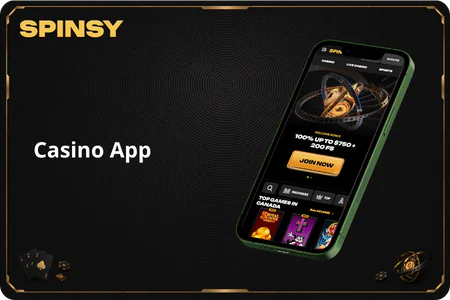
The mobile version is described as a responsive website rather than a confirmed native application. It can provide access to the lobby, account area, cashier, promotions and live chat through an iPhone, iPad or Android browser. Some versions can be added to a home screen as a progressive web app, but this remains the web platform, not proof of a separate app-store product. That distinction helps users avoid downloading an unverified application.
Convenience can be managed through the phone itself. Turn off promotional notifications if they encourage unplanned visits, and avoid saving payment details in a shared device or browser. Use a screen-time reminder or calendar alert to mark the end of a planned session. If you are checking an account while tired, upset or distracted, close the browser instead of treating continued access as harmless.
Mobile play also deserves a privacy check. Use a personal device, keep the operating system and browser updated, and use a strong, unique password. If optional two-factor authentication is offered on the current site version, consider enabling it. Do not let another person use your account, and do not rely on an installed home-screen shortcut as evidence that an app is official. The safest mobile routine is deliberate, private and easy to stop.
Use breaks and self-exclusion as firm boundaries
A break is more effective when its purpose is decided in advance. You might use a short time-out after noticing repeated sessions, increasing frustration or a tendency to chase losses. A longer cool-off period can help when ordinary limits no longer feel meaningful. During a break, remove shortcuts, sign out and avoid replacing one account with another. The aim is distance, not simply moving the same behaviour to a different screen.
Self-exclusion is a stronger step. The available information describes self-exclusion periods ranging from several months to multiple years, arranged through support, with gambling access blocked during the selected period. Because the exact process and durations may vary, ask support to explain what will be restricted, when the period starts and whether it can be changed once confirmed.
For independent guidance, the Responsible Gambling Council’s information resources provide Canadian-focused educational material about safer gambling and signs of risk. A self-exclusion request should not be treated as a temporary inconvenience or a challenge to overcome. Tell someone you trust, remove stored payment methods where appropriate and seek professional support if gambling is affecting finances, sleep, relationships or work.
Check the trade-off between access and control
Mobile access has clear practical advantages: a browser can work across common devices, account tools are available without a desktop and live chat may be reachable when help is needed. However, the same accessibility can make gambling available during commutes, late at night or in moments of stress. The question is not whether mobile access is convenient; it is whether the convenience fits your ability to maintain boundaries.
Account controls are not substitutes for personal planning. A deposit limit may not cover funds already held in the account, and a wager limit may not reflect how long a session lasts. A cool-off period may be more suitable than a lower limit when the problem is frequent checking. Read the active terms for each control and verify whether changes take effect immediately or after a waiting period.
There are also practical limitations. The source information does not establish one universal set of limits, availability rules or mobile functions for every Canadian account. It also does not prove that all payment methods, promotions or responsible-gambling tools appear in every location. Treat the logged-in account and current terms as the decisive sources. If a control is missing, contact support rather than assuming it is available or relying on memory from another platform.
Build a simple routine for safer sessions
A useful routine can be short enough to follow every time. Before opening the mobile site, decide whether gambling fits your budget and mood that day. Set a fixed amount and duration, and do not increase either one because of a losing streak. Avoid borrowing, using essential funds or treating a possible win as income. Gambling outcomes are uncertain, so a budget should contain money you can genuinely afford to lose.
During play, pause when the reminder sounds or when the planned amount is reached. Do not use a win as a reason to extend the session automatically, and do not chase losses by raising stakes. Keep a basic record of deposits, withdrawals and time spent. Reviewing those figures later can reveal a pattern that is easy to miss when each mobile session seems small.
Afterward, close the browser and review whether the session matched the plan. If it did not, apply a stronger control before returning, such as a time-out or support request. If gambling is becoming difficult to control, self-exclusion and professional help are more appropriate than another strategy or bonus. Support can also assist with account closure, login concerns, verification questions and responsible-gambling options.
Mobile gambling controls: common questions
Is a mobile home-screen shortcut a native casino app?
No. The available information describes a responsive mobile website that may be added to an iPhone or Android home screen. That creates app-like access but does not make it a separate native application. Use the official browser and avoid installing files from unofficial sources or granting unnecessary device permissions.
Can I assume every account has the same gambling limits?
No. Deposit, loss, wager, time-out and self-assessment tools may vary by account or current site version. Check the responsible-gambling or account area and read the applicable explanation before relying on a setting. If the option is absent or unclear, ask support how it works.
When should I consider self-exclusion instead of a short break?
Self-exclusion may be more appropriate when you repeatedly exceed budgets, chase losses, hide gambling, or cannot maintain a planned break. It creates a firmer barrier than a short time-out. Contact support for the current process, and consider speaking with a trusted person or qualified support service.